This article is part of the guide to SEO Rules in FiboFilters. If you’re new to SEO Rules, start there first.
Below you will find real-life ready-to-use recipes for SEO rules in FiboFilters.
Note that Google usually needs a few days or weeks to pick up new pages, so your SEO rules won’t have an immediate effect.
To conserve crawl budget, apply SEO rules only to selected filter URLs and leave the rest without one.
Recipe 1: Single-attribute SEO for a clothing store
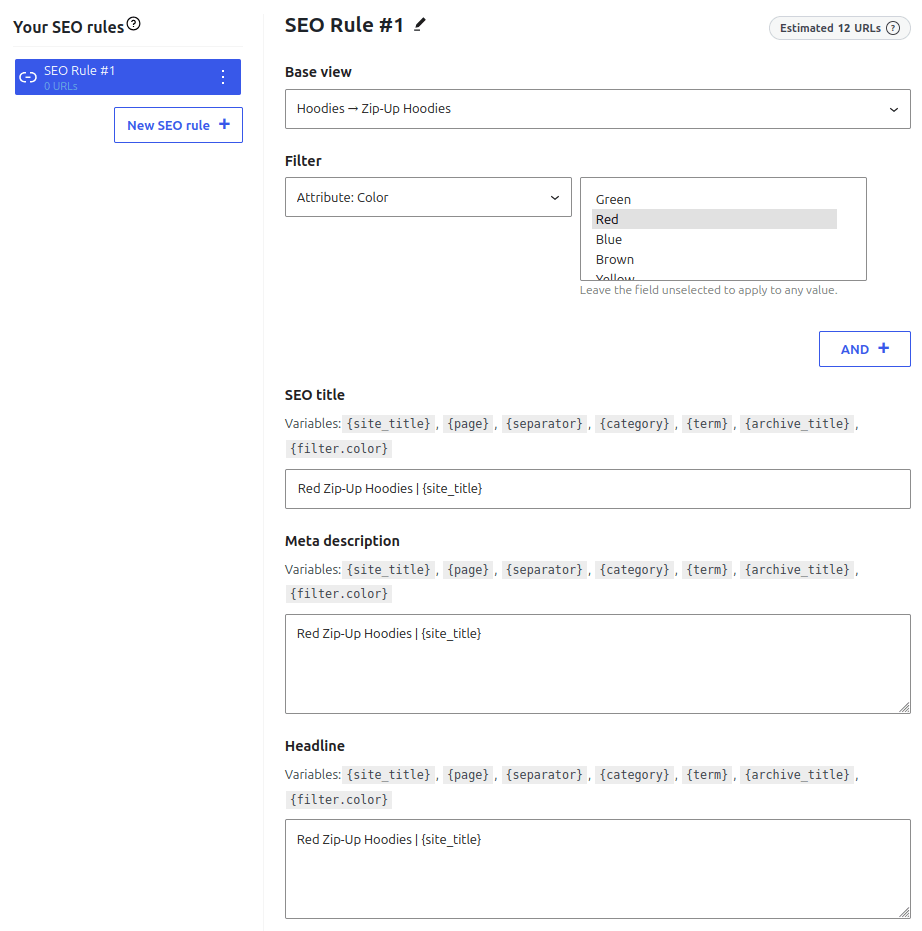
This rule is for a clothing store that sells hoodies, sneakers, jackets and bags, where color is a popular filter. The goal is to get a page like “Red Zip-Up Hoodies” to Google.
Rule
Category: Zip-Up Hoodies
Attribute: color = red
Title: Red Zip-Up Hoodies | {site_title}
Result
Go to the Zip-Up Hoodies category page and filter by color Red. The page’s HTML tags now contain the values defined in the rule editor (to view the HTML, press F12 or right-click the page and select “View page source”). The canonical link points to the filtered URL, and the robots meta tag doesn’t include noindex.

Recipe 2: Category + attribute for electronics
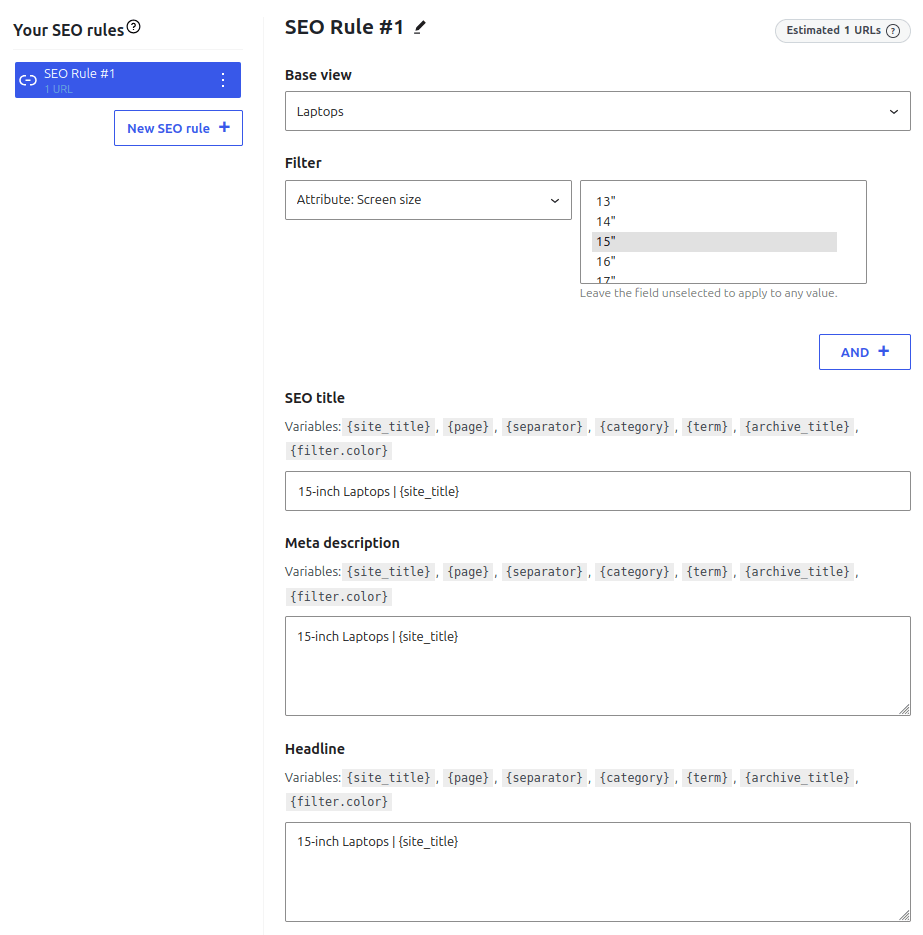
This rule is for a shop selling electronics, like TVs and laptops. A category plus a specific attribute is a strong long-tail keyword. People who search “15-inch laptops” already know what they want, so they are more likely to buy. The goal here is to get the “15-inch laptops” page into search engine results.
Rule
Category: Laptops
Attribute: screen_size = 15"
Title: 15-inch Laptops | {site_title}
Result

Recipe 3: Brand + capacity combo for an outdoor store
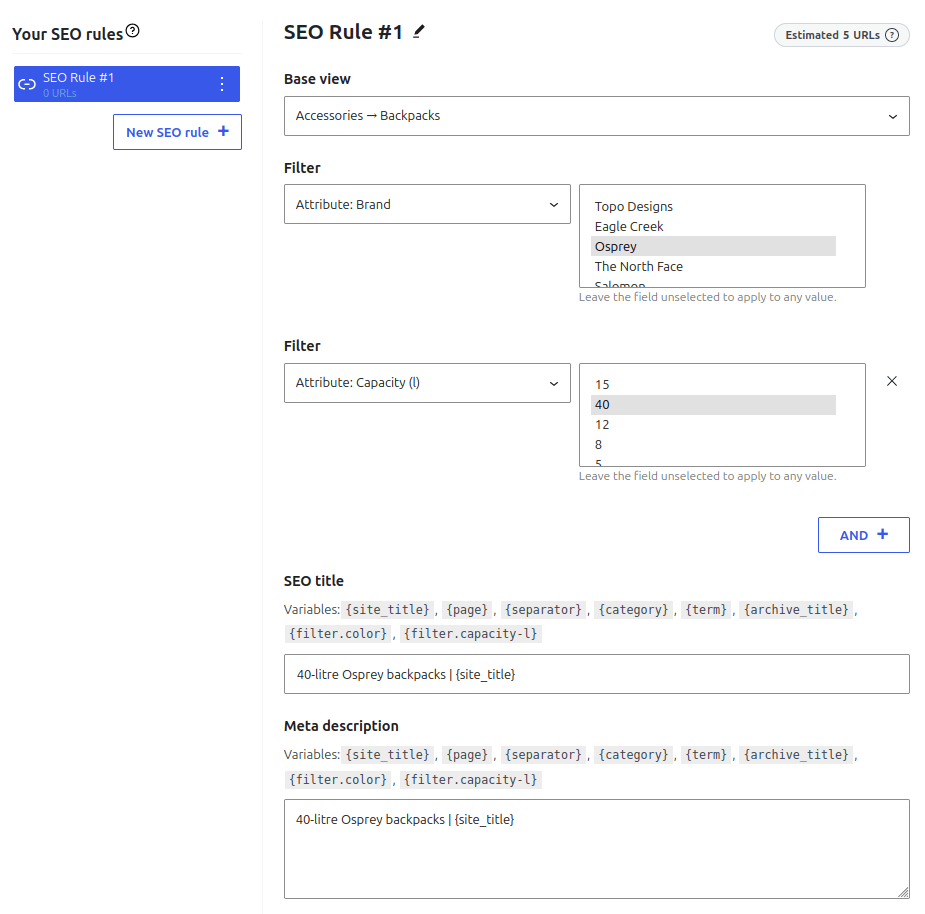
This rule is for an outdoor shop where people search for a brand and a specific feature together, like “40 litre Osprey backpack”, which is a strong long-tail keyword. Only this specific combination gets a page, so the impact on your crawl budget stays low.
Rule
Category: Backpacks
Attribute: brand = Osprey
Attribute: capacity = 40 litres
Title: 40-litre Osprey backpacks | {site_title}
Result

Recipe 4: Wildcard brand rule
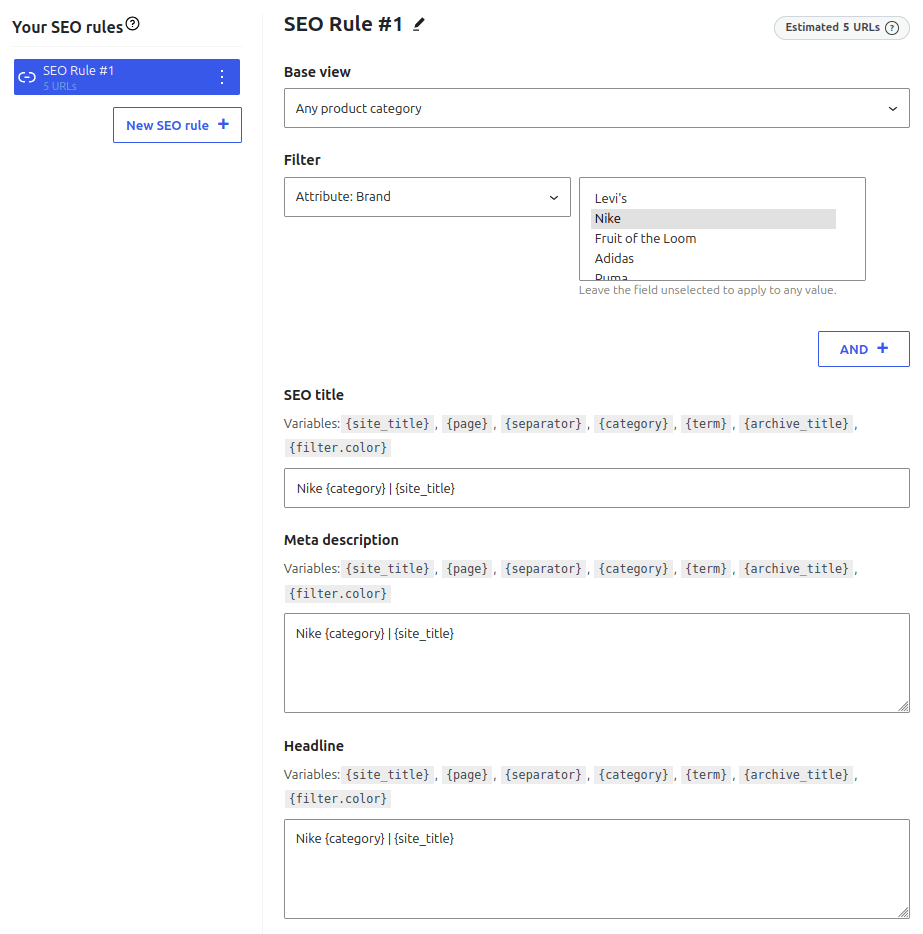
This rule is for a multi-brand shop that wants a “Nike products” page get to Google, no matter the category. This is because many people search for just a brand name. One rule covers every category, so you don’t need a separate rule for each one.
Rule
Category: Any category
Attribute: brand = Nike
Title: Nike {category} | {site_title}
Result
