This article is part of the guide to SEO Rules in FiboFilters. If you’re new to SEO Rules, start there first.
SEO rules for range filters use min and max inputs in the rule editor. For a given filter range, a matching rule is selected according to the general rule matching algorithm.
Setting up a range condition
For range filters, you need to specify at least one value in the SEO Rules editor: min, max, or both. Note that the selected filter range must match the rule range exactly, for the rule to be executed.
Example
Let’s say you sell backpacks and created a filter for capacity with the following ranges:
- less than 8 liters
- 8-15 liters
- more than 15 liters
You then created two SEO rules for them:
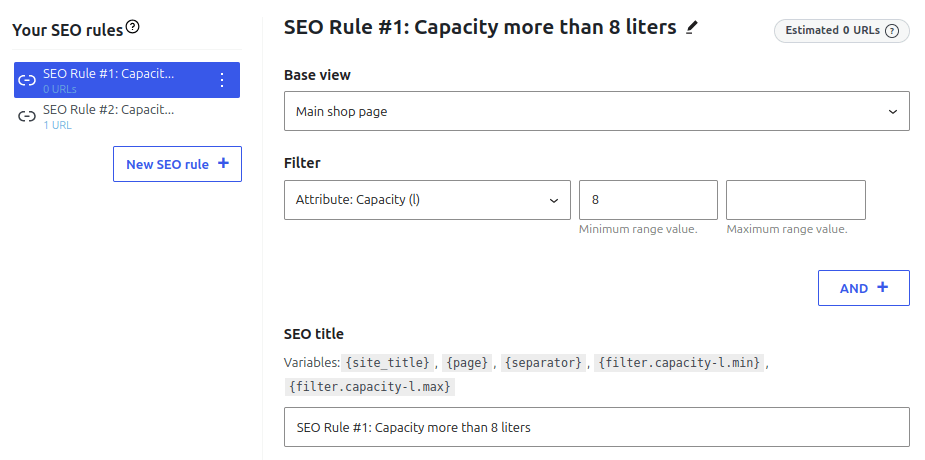
SEO Rule #1: Capacity more than 8 liters:
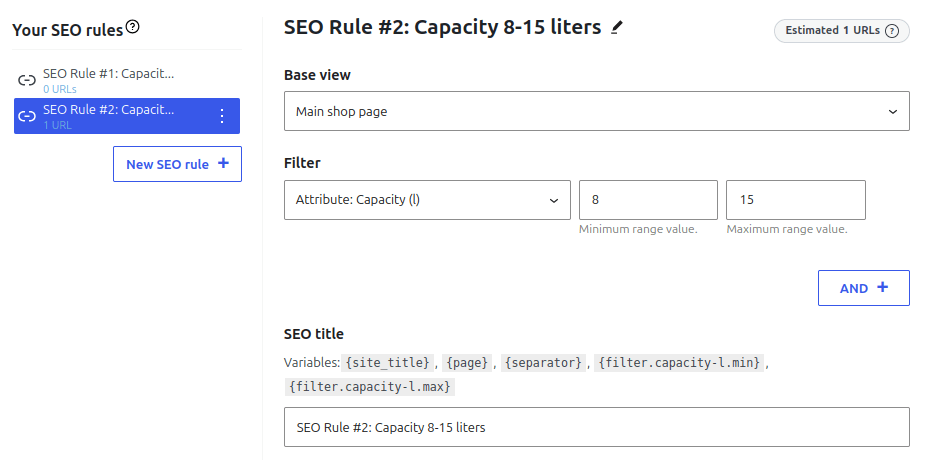
SEO Rule #2: Capacity 8-15 liters:
If you then go to your shop page and filter backpacks by capacity from 8 to 15 liters, Rule #2 will win over Rule #1, because there’s an exact match:
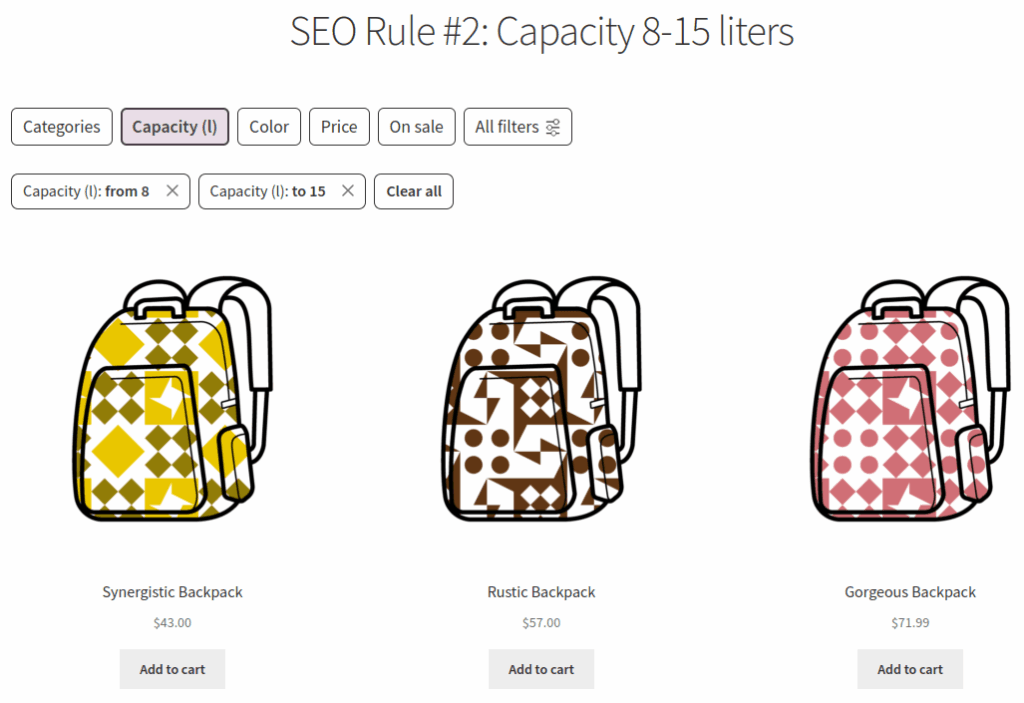
Rule #1 wouldn’t be applied for range 8-15 even if Rule #2 didn’t exist, as there’s no exact match. Rule #1 would be executed only if there was a “more than 8” range defined and the user selected it.
Data validation
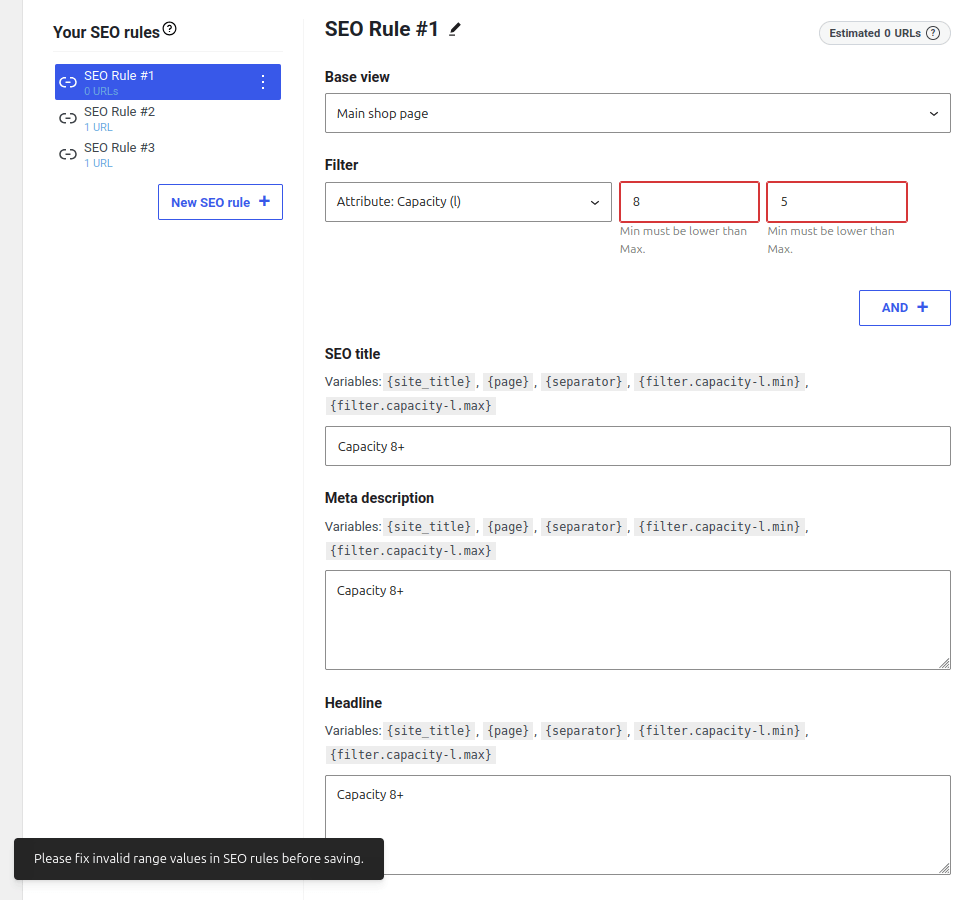
FiboFilters won’t let you enter incorrect values in a rule – it will mark the input fields red and display a warning message. If you try to save your settings anyway, you will see another warning message at the bottom of the page:
Troubleshooting
If a range filter’s URL doesn’t show up in the sitemap, it’s because the range expands to more than 500 values. For example, if a range of >= 15 expands to 501 values (16, 21, 34, 40, 55, …), the rule’s URL is excluded from the sitemap.
This is because before adding a range filter’s URL to the sitemap, FiboFilters must check every value in that range to see whether any products are assigned to it. Only URLs that output at least 5 products go into the sitemap. If there are a lot of values to check, sitemap generation may take too long and use too much server resources. The 500 limit is a precaution to save server resources and ensure that the sitemap is generated successfully.
If you still want to include such URLs in the sitemap, you can increase the limit to e.g. 1000 with the following code:
add_filter( 'fibofilters/seo/max_range_value_ids', fn() => 1000 );
ⓘLearn how to add this snippet to your WordPress.
After increasing the limit, make sure the sitemap is created properly.